> For the complete documentation index, see [llms.txt](https://docs.tiun.io/llms.txt). Markdown versions of documentation pages are available by appending `.md` to page URLs; this page is available as [Markdown](https://docs.tiun.io/reference/time-based/sessions.md).
# Sessions
Time-based billing is built around **billing sessions**, not identified users. When the customer connects a payment method, tiun opens a session and starts metering against your product's interval and fee. The session — not an email or `userId` — is the unit of "is this person currently allowed to use paid content?"
***
## What tiun captures
When you call `tiun.start()`, the customer connects a payment method — credit/debit cards (Visa, Mastercard, American Express), Apple Pay, Google Pay, PayPal or TWINT, subject to regional availability — and tiun creates a billing session tied to that connection.
Behind the scenes, tiun extracts and stores details about the customer and their session. You can review this data under **User Management** in the [my.tiun.business dashboard](https://my.tiun.business/), but it is **not exposed to the SDK or your snippet**. From your app's perspective, sessions are anonymous.
That's a deliberate design choice: in time-based experiences (news, podcasts, streaming), the integration only needs to know whether the customer currently has access — not who they are. Identity-bound flows like login/logout and `productAccess` do not apply here.
***
## Session lifecycle
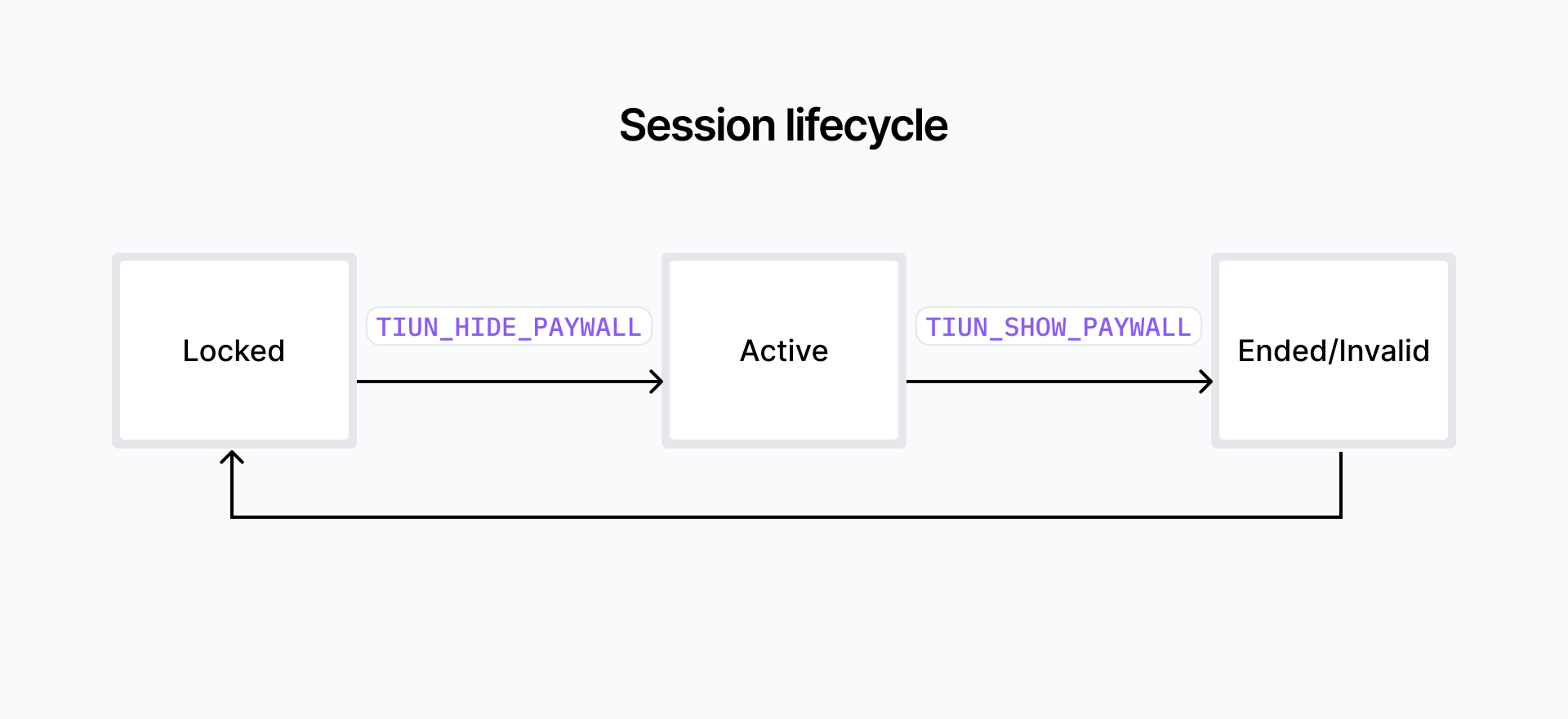
A session moves through three states:
| State | Meaning |
| ------------------- | ------------------------------------------------------------------------------------------------------------------------------------ |
| **Locked** | No active billing session, or the session is not granting access. The user should see a paywall. |
| **Active** | Billing session is in progress; eligible content is billable and time accrues per your product rules. |
| **Ended / Invalid** | The session was closed or payment failed. No further billing for this visit; the user returns to Locked and may need to start again. |
Transitions are signaled to your app via [paywall events](/reference/time-based/access.md): `paywallHide` corresponds to entering Active, `paywallShow` corresponds to leaving it.
***
## Session ID
When `paywallHide` fires (the session is Active and the user has access), the payload includes a **`sessionId`**. The session ID is what your backend uses to **verify the session server-side** before serving premium content — protecting your APIs against clients that fake or spoof access on the front end.
For the verification flow including the API endpoint and example backend code, see [server-side session verification](/guides/time-based-billing/verify-server-side.md).
---
# Agent Instructions
This documentation is published with GitBook. GitBook is the documentation platform designed so that both humans and AI agents can read, navigate, and reason over technical content effectively. Learn more at gitbook.com.
## Querying This Documentation
If you need additional information that is not directly available in this page, you can query the documentation by asking a question.
Perform an HTTP GET request on the following URL with the `ask` and `goal` query parameters:
```
GET https://docs.tiun.io/reference/time-based/sessions.md?ask=&goal=
```
`ask` is the immediate question: it should be specific, self-contained, and written in natural language.
`goal` is what the user is ultimately trying to achieve, the reason they need the answer. Sharing it helps GitBook give you a better, more relevant answer. A goal is most helpful when it describes the outcome the user wants rather than restating the question. For example, with `ask=how do I create an API token`, a goal like `automate deployments from our CI pipeline` lets GitBook tailor the answer to that use case.
The response will contain a direct answer to the question and relevant excerpts and sources from the documentation.
Use this mechanism when the answer is not explicitly present in the current page, you need clarification or additional context, or you want to retrieve related documentation sections.